AI · Nov 8, 2026
Top 10 PDF Tools in 2026: Best Editors, Converters & Compressors Compared
By try.tools
The Best PDF Tools in 2026: Our Complete, Hands-On Guide
PDFs are the backbone of modern paperwork. Contracts, invoices, ebooks, resumes, reports, tax forms and school assignments all travel as PDFs because they look the same on every device. But the moment you need to edit a paragraph, merge two files, compress a 40 MB scan, convert to Word, or sign a document, you need the right tool, and the wrong one costs you time, money and sometimes privacy.
We reviewed and compared ten of the most popular PDF tools available today. Some are full desktop editors, some are fast browser-based toolkits, and some are free and surprisingly powerful. Whether you are a student, freelancer, office worker or developer, there is something here for you.
The Top 10 PDF Tools in Detail
1. Adobe Acrobat: The Industry Standard
The company that invented the PDF still makes the most complete toolkit for it. Acrobat covers editing text and images, converting to and from Office formats, OCR, redaction, form creation, e-signatures, password protection and cloud sharing, all with excellent fidelity.
- Best for: Professionals, legal and business teams, anyone who needs flawless formatting.
- Pros: Most accurate editing and conversion, powerful security and redaction, polished mobile apps, deep Microsoft 365 integration.
- Cons: Subscription pricing is the highest on this list, and the app can feel heavy.
- Website: adobe.com/acrobat
Tools featured in this post
10 tools from the Try.Tools directory
Adobe Acrobat 
PDF Tools
PDF editor for viewing, signing, converting, and commenting.
PAIDNo reviews yet
iLovePDF
PDF Tools
iLovePDF offers comprehensive online PDF tools for merging, splitting, converting, compressing, and editing PDF documents with ease.
FREEMIUMNo reviews yet
Smallpdf
Commerce & Marketplaces
Smallpdf is a comprehensive online platform offering over 20 PDF tools including compression, conversion, editing, e-signing, and AI-powered features for individuals and businesses.
FREEMIUMNo reviews yet
PDFgear
PDF Tools
PDFgear is a free PDF reader and editor with powerful conversion tools, enabling users to read, edit, convert, merge, and sign PDF files across multiple devices without signing up.
FREENo reviews yet
Foxit PDF Editor
PDF Tools
Foxit PDF Editor is an AI-powered platform for creating, editing, and managing PDFs with advanced document workflow capabilities.
PAIDNo reviews yet
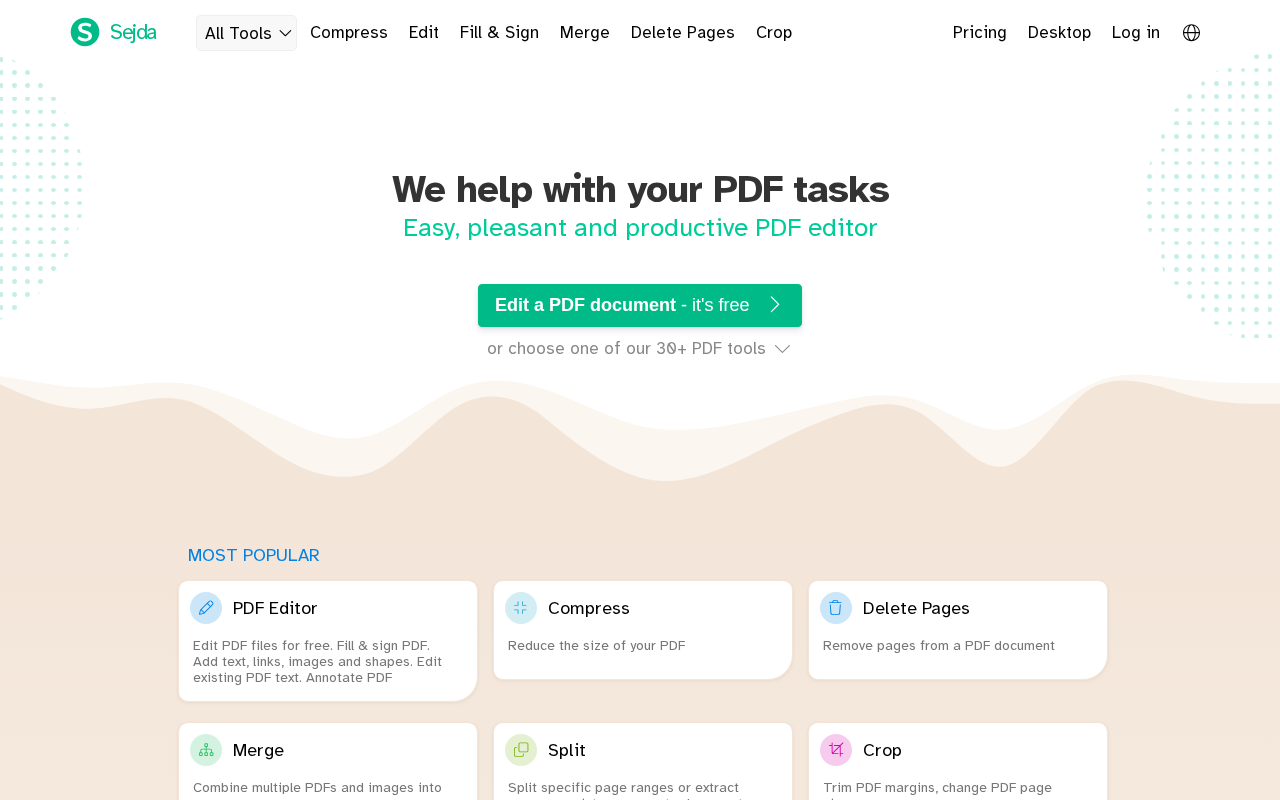
Sejda PDF
PDF Tools
A comprehensive PDF editing and conversion toolkit available on web and desktop platforms, designed for teams and professionals.
FREEMIUMNo reviews yet
Soda PDF
PDF Tools
Comprehensive PDF software for editing, converting, and managing PDF files with desktop and online solutions.
PAIDNo reviews yet
PDF-XChange Editor
PDF Tools
A fast Windows PDF editor with extensive annotation, OCR, measurement, stamps, and form tools, offering a free version for basic tasks and advanced features for professionals.
FREEMIUMNo reviews yet
Nitro PDF
PDF Tools
Nitro PDF is a comprehensive PDF productivity software offering editing, converting, annotating, OCR, and e-signature capabilities for Mac, Windows, and iOS users.
PAIDNo reviews yet
Xodo PDF
PDF Tools
Xodo PDF is a versatile platform for reading, annotating, and collaborating on PDF documents across web and mobile devices.
FREEMIUMNo reviews yet
2. iLovePDF: The Fastest Online Toolkit
iLovePDF is a favorite for good reason: a huge catalog of single-purpose tools (merge, split, compress, convert, rotate, watermark, page numbers, unlock, protect) that load instantly in your browser. No learning curve, just upload, click and download.
- Best for: Quick one-off jobs and non-technical users.
- Pros: Extremely simple, broad tool selection, desktop and mobile apps, works with Google Drive and Dropbox.
- Cons: Free usage has file-size and task limits, and advanced editing is basic.
- Website: ilovepdf.com
3. Smallpdf: The Cleanest Interface
Smallpdf turns PDF work into friendly, guided steps. It combines the usual compress, merge, convert and sign tools with a modern workspace, cloud storage and team features, which makes it a good fit for small businesses.
- Best for: Teams, remote workers and anyone who values design and ease of use.
- Pros: Beautiful UI, e-signature tools, strong compression, multi-device sync.
- Cons: Daily free limits are tight, and the paid plan is pricier than some rivals.
- Website: smallpdf.com
4. PDFgear: The Best Free All-Rounder
PDFgear has built its reputation on offering a surprisingly complete editor at no cost. You can edit text, annotate, fill forms, merge, split, compress, convert and sign, without the usual watermark or page-count restrictions.
- Best for: Students, freelancers and anyone on a budget.
- Pros: Free core features, offline desktop app, clean layout, AI-assisted tools.
- Cons: Fewer enterprise features, and the newer ecosystem is still maturing.
- Website: pdfgear.com
5. Foxit PDF Editor: Light, Fast and Capable
Foxit is known for speed. It opens large files quickly, uses fewer system resources than Acrobat, and still delivers real editing, OCR, collaboration and security tools.
- Best for: Users with older hardware or heavy documents.
- Pros: Fast performance, familiar ribbon interface, solid collaboration features, available on Linux.
- Cons: The product lineup and licensing can be confusing.
- Website: foxit.com
6. Sejda PDF: Simple, Honest and Privacy-Friendly
Sejda offers a straightforward online editor plus a desktop version. It highlights automatic file deletion after processing, which appeals to people handling sensitive paperwork.
- Best for: Quick edits and users who care about privacy.
- Pros: Intuitive online editor, desktop version for offline work, flexible weekly pricing option.
- Cons: Free tier limits pages, file size and tasks per hour.
- Website: sejda.com
7. Soda PDF: The Office-Style Editor
Soda PDF's ribbon layout feels familiar to anyone who uses Microsoft Office. It offers desktop and online versions with editing, conversion, e-signing and cloud connections.
- Best for: Office workers who want a familiar interface.
- Pros: Comfortable layout, good conversion tools, online and desktop options.
- Cons: Heavier subscription for full features, and the desktop app is Windows-only.
- Website: sodapdf.com
8. PDF-XChange Editor: The Windows Power User's Choice
PDF-XChange packs a huge feature list into a fast Windows app: annotation, measurement tools, OCR, stamps, form tools and extensive customization. The free version covers many basics.
- Best for: Windows users who need advanced annotation and OCR.
- Pros: Very feature-rich, quick, free tier available, strong markup tools.
- Cons: Windows only, and the interface is dense for beginners.
- Website: pdf-xchange.com
9. Nitro PDF: Built for Business Workflows
Nitro focuses on productivity: editing, conversion, review and eSign in one package aimed at teams and organizations that handle documents daily.
- Best for: Companies needing e-signing and document workflows.
- Pros: Strong e-sign features, clean editing, good team administration tools.
- Cons: Priced for business, and individuals may find it more than they need.
- Website: gonitro.com
10. Xodo: Best for Annotating and Reading on the Go
Xodo shines at reading, highlighting, drawing and filling forms, especially on phones and tablets. Its web and desktop versions cover the essentials of editing and file management.
- Best for: Students and readers who mark up documents.
- Pros: Smooth annotation, free core features, excellent mobile experience, cloud sync.
- Cons: Fewer advanced editing and conversion options than the top picks.
- Website: xodo.com
Quick Picks: The Short Version
- Best overall: Adobe Acrobat
- Best for quick online tasks: iLovePDF
- Best free desktop editor: PDFgear
- Best for teams and collaboration: Smallpdf
- Best for Windows power users: PDF-XChange Editor
- Best for privacy-minded users: Sejda
Comparison Table 2: Feature Checklist
| Tool | Edit Text | Merge / Split | Compress | Convert | OCR | E-Sign | Offline App |
|---|---|---|---|---|---|---|---|
| Adobe Acrobat | Yes | Yes | Yes | Yes | Yes | Yes | Yes |
| iLovePDF | Basic | Yes | Yes | Yes | Yes | Yes | Yes |
| Smallpdf | Basic | Yes | Yes | Yes | Yes | Yes | Yes |
| PDFgear | Yes | Yes | Yes | Yes | Yes | Yes | Yes |
| Foxit PDF Editor | Yes | Yes | Yes | Yes | Yes | Yes | Yes |
| Sejda PDF | Yes | Yes | Yes | Yes | Yes | Yes | Yes |
| Soda PDF | Yes | Yes | Yes | Yes | Yes | Yes | Windows |
| PDF-XChange Editor | Yes | Yes | Yes | Limited | Yes | Yes | Windows |
| Nitro PDF | Yes | Yes | Yes | Yes | Yes | Yes | Yes |
| Xodo | Basic | Yes | Limited | Limited | Limited | Yes | Yes |
Feature availability may differ between free and paid plans and between web and desktop versions.
Comparison Table 3: Which Tool Fits Which Person?
| If you are... | Choose | Why |
|---|---|---|
| A student on a budget | PDFgear or Xodo | Free core features and easy annotation |
| A freelancer sending contracts | Smallpdf or Nitro PDF | Smooth e-signing and sharing |
| A lawyer or accountant | Adobe Acrobat | Redaction, security and perfect fidelity |
| Someone who needs a one-off fix | iLovePDF or Sejda | No install, done in seconds |
| Using an older laptop | Foxit PDF Editor | Lightweight and fast |
| A heavy annotator on Windows | PDF-XChange Editor | Powerful markup and OCR |
| An office team on Windows | Soda PDF | Familiar Office-style interface |
How to Choose the Right PDF Tool
- List your top three tasks. Editing, compressing and signing need different strengths.
- Check the free limits. Daily task caps and file-size limits matter more than feature lists.
- Think about privacy. For contracts, IDs or financial documents, use an offline desktop app or a service with clear deletion policies.
- Match your device. Make sure the tool works on every platform you use.
- Test before you pay. Most tools offer free tiers or trials, so run your real files through them first.
Comparison Table 1: Overview of All 10 PDF Tools
| # | Tool | Type | Platforms | Free Option | Best For |
|---|---|---|---|---|---|
| 1 | Adobe Acrobat | Desktop + Web + Mobile | Windows, macOS, iOS, Android, Web | Limited free tools / trial | Professional, all-round use |
| 2 | iLovePDF | Web + Desktop + Mobile | Web, Windows, macOS, iOS, Android | Yes (with limits) | Fast everyday tasks |
| 3 | Smallpdf | Web + Desktop + Mobile | Web, Windows, macOS, iOS, Android | Yes (daily limits) | Clean UI, team use |
| 4 | PDFgear | Desktop + Web + Mobile | Windows, macOS, iOS, Android | Free | Free full-featured editing |
| 5 | Foxit PDF Editor | Desktop + Web + Mobile | Windows, macOS, Linux, iOS, Android | Free trial | Lightweight, fast editing |
| 6 | Sejda PDF | Web + Desktop | Web, Windows, macOS, Linux | Yes (with limits) | Privacy and simple editing |
| 7 | Soda PDF | Web + Desktop | Web, Windows | Limited | Office-style interface |
| 8 | PDF-XChange Editor | Desktop | Windows | Free version available | Annotation and OCR |
| 9 | Nitro PDF | Desktop + Web | Windows, macOS, Web | Free trial | Business workflows and e-signing |
| 10 | Xodo | Web + Mobile + Desktop | Web, Windows, iOS, Android | Yes | Annotating and mobile reading |
Final Verdict: Which PDF Tool Should You Pick?
There is no single winner for everyone, but there is a clear best choice for every situation. If you want the most complete, polished toolkit and do not mind paying for it, Adobe Acrobat remains the benchmark. If you mostly need fast online fixes, iLovePDF and Smallpdf are hard to beat. And if budget is your priority, PDFgear offers the most capable free option on this list.
Our Final Recommendations
- Best overall: Adobe Acrobat
- Best free tool: PDFgear
- Best online toolkit: iLovePDF
- Best for teams: Smallpdf
- Best lightweight editor: Foxit PDF Editor
- Best for privacy: Sejda PDF
Frequently Asked Questions
What is the best free PDF tool?
PDFgear is one of the most complete free options, offering editing, conversion, compression and signing without heavy restrictions. Xodo and the free tiers of iLovePDF and Sejda are also strong choices.
Are online PDF tools safe to use?
Reputable services use encrypted connections and delete files after processing, but you should still avoid uploading highly sensitive documents. For contracts, IDs and financial records, prefer an offline desktop app.
Can I edit a PDF without Adobe Acrobat?
Yes. PDFgear, Foxit, Sejda, Soda PDF and PDF-XChange Editor all let you edit text, images and pages without Acrobat.
How do I reduce the size of a PDF?
Use the compress function in tools such as iLovePDF, Smallpdf or Acrobat. For scanned documents, choose a lower image quality or resolution setting to get a much smaller file.
Which PDF tool is best for signing documents?
Nitro PDF, Smallpdf and Adobe Acrobat have the most polished signing workflows, but most tools on this list support basic e-signatures.
Ready to Pick Your PDF Tool?
Browse more reviews, comparisons and hand-picked software in the Try.Tools directory. We help you find the right tool faster, so you can spend less time searching and more time getting work done.
Disclaimer
Features, pricing, free-plan limits and availability change frequently. The information in this article is provided for general guidance only. Please visit each tool's official website for the most current details before making a purchase. Third-party brand names and logos belong to their respective owners.
Related posts
Nov 15, 2026
Top 10 AI Tools for Jobs & Career in 2026
Job hunting is faster and smarter with AI. We compare the 10 best AI tools for resumes, ATS checks, interview practice, job tracking, and career growth, and tell you exactly which…
Nov 12, 2026
Top 10 Education and Learning Tools in 2026
Looking for the best education and learning tools? We compare the top 10 for students, teachers and self-learners, including Khan Academy, Duolingo, Coursera, Udemy, Quizlet, Noteb…
Nov 11, 2026
Top 10 AI Automation Tools in 2026
Discover the 10 best AI automation tools ranked from 1 to 10. Detailed reviews, pros and cons, pricing approach, and a full side-by-side comparison to help you pick the right platf…